
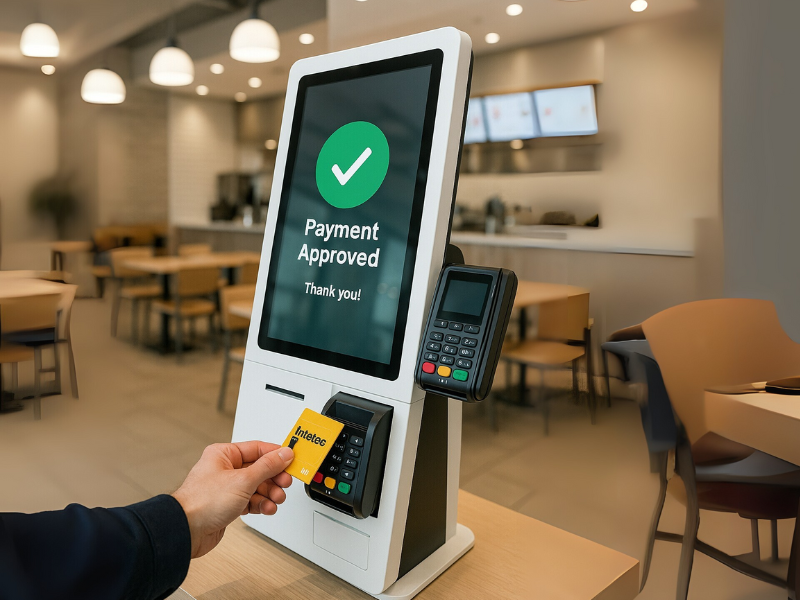
When adding a self-order kiosk to your restaurant, one of the most important questions is: “How will my customers pay?” Especially in Canada, where tap payments and mobile wallets are the norm, your kiosk needs to accept fast, secure, and versatile payment options.
In this article, we break down the most common payment methods accepted by modern self-service kiosks, specifically in the Canadian market, so you can choose a solution that meets customer expectations and fits your operation.
Table of Contents
1. Credit and Debit Cards (Tap or Insert)
This is the gold standard.
All modern self-order kiosks in Canada accept:
- Visa
- Mastercard
- Interac (for debit cards)
- American Express (depending on processor)

Customers can tap, insert, or swipe their cards using the integrated payment terminal. These terminals are PCI-compliant and securely process payments in under 3 seconds.
✅ Kiosk360 kiosks come equipped with terminals compatible with Interac, the most widely used debit network in Canada!
2. Contactless Payments / Tap to Pay
Contactless is king in Canada, especially post-pandemic.
Customers love the speed and hygiene of simply tapping their card, phone, or wearable device. Kiosks that support NFC (Near-Field Communication) can accept:
- Tap-enabled credit/debit cards
- Apple Pay
- Google Pay
- Samsung Pay
- Bank mobile wallet apps
💡 Most Kiosk360 clients report that 80–90% of kiosk transactions are now tap-based.
3. Mobile Wallets
In addition to tap cards, many Canadian customers pay directly from their phones.
Your kiosk should support all popular mobile wallets:
- Apple Pay (iPhone, Apple Watch)
- Google Pay (Android phones)
- Samsung Pay
This method is not only convenient, but also more secure than cards, thanks to biometric verification and tokenization.
4. Gift Cards & Loyalty Cards
Offering store-branded gift cards or loyalty programs?
Your kiosk can integrate those too.
Depending on your POS and payment processor, kiosks can:
- Let users pay partially or fully with a gift card
- Apply loyalty points automatically
- Trigger rewards or discounts based on spending history
🟦 Kiosk360 offers full integration for gift/loyalty systems, ideal for franchises and chains.
5. QR Code Payments (Optional)
Bien qu’encore émergents au Canada, les paiements par code QR gagnent du terrain dans certains restaurants décontractés et environnements culinaires multiculturels.
Les kiosques peuvent générer un code QR lié à la facture. Le client le scanne avec son téléphone et paie via un portefeuille ou une application compatible.
Actuellement plus courant dans :
- Les concepts asiatiques et moyen-orientaux
- Les événements ou kiosques alimentaires mobiles
- Les restaurants offrant WeChat Pay ou Alipay
📍 Kiosk360 propose le paiement par code QR comme module optionnel pour des cas d’utilisation spécifiques.
6. Are Kiosks in Canada Cashless?
In almost all cases, yes.
Self-service kiosks in Canadian restaurants are designed for digital payments only.
They do not include built-in cash receivers or dispensers. The reasons are clear:
- Less maintenance
- Fewer errors
- No cash handling by staff
- Faster checkout experience
- Better accounting and reconciliation
💳 Going cashless also aligns with evolving customer behavior in major cities like Toronto, Montreal, Vancouver, and Ottawa.
7. Backend Integration and Why It Matters
Every payment made on your kiosk should sync directly with:
- Your POS system (for sales tracking and receipts)
- Your kitchen display system (for order routing)
- Your reporting dashboard (for reconciliation)
This ensures no missed tickets, no manual entry, and full visibility into revenue per payment type.
🔁 Kiosk360 kiosks are natively integrated with our POS, KDS, and reporting tools, no third-party syncing needed.
Conclusion
The best self-order kiosks in Canada are fully equipped to accept the modern, digital-first payment methods your guests expect. From tap and mobile wallets to loyalty cards and QR codes, your payment setup should make checkout fast, flexible, and frictionless.
And with Kiosk360, it does exactly that.
Author: Admin
Table of Contents
Looking to upgrade your checkout experience?
Book a free demo today and see how Kiosk360 can help your business grow.
 EN_CA
EN_CA  FR
FR 